The desktop scanning app for the scanner you already own.
Scan & Print runs on your PC and drives your USB or Wi-Fi scanner directly: flatbed or feeder, up to 600 DPI. Fix the pages, then save a PDF, JPEG, PNG or TIFF, or print. No phone, no maker’s software, and nothing leaves your computer.Scan & Print runs on your Mac and drives your USB or Wi-Fi scanner directly: flatbed or feeder, up to 1200 DPI. Fix the pages, then save a PDF, JPEG, PNG or TIFF, or print. No phone, no maker’s software, and nothing leaves your computer.
Windows 10 and 11macOS 14 Sonoma or later.
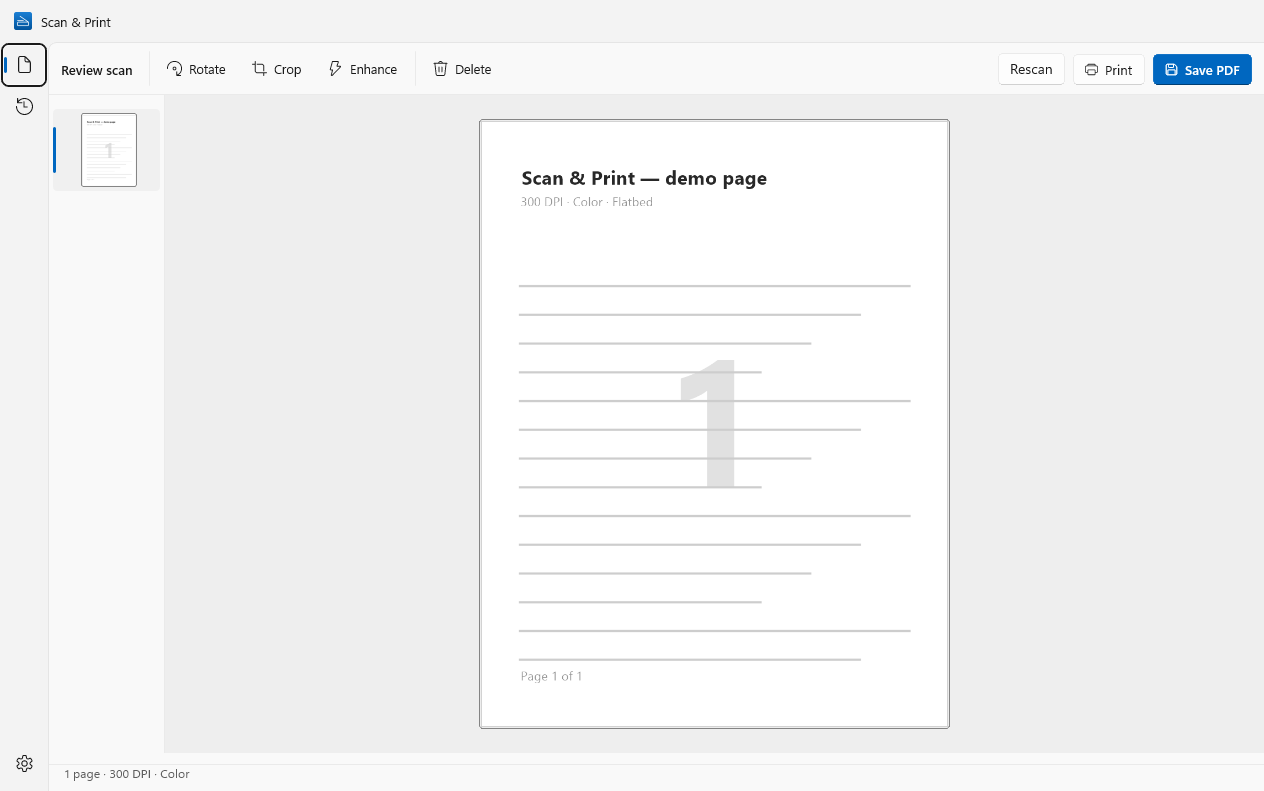
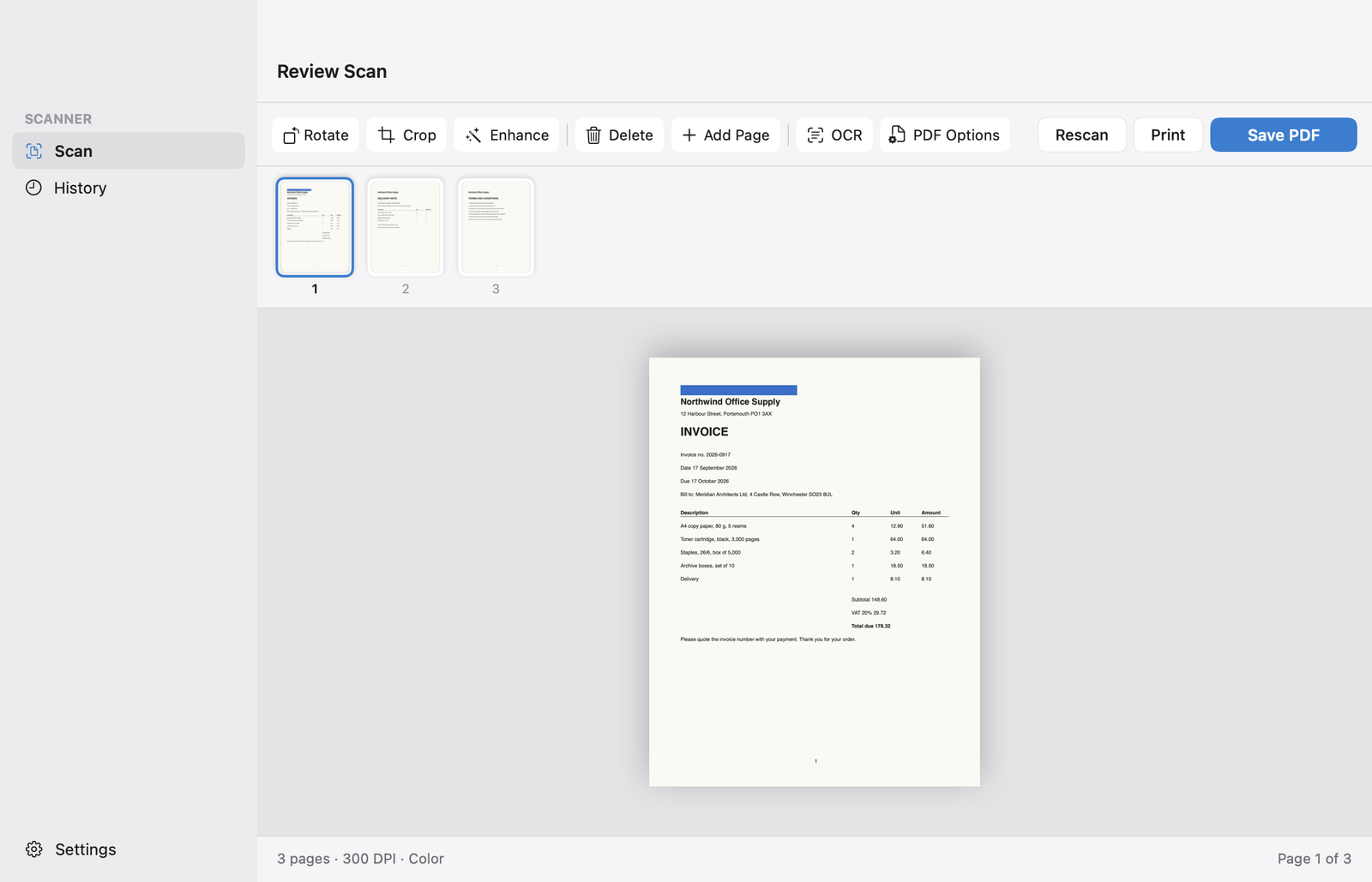


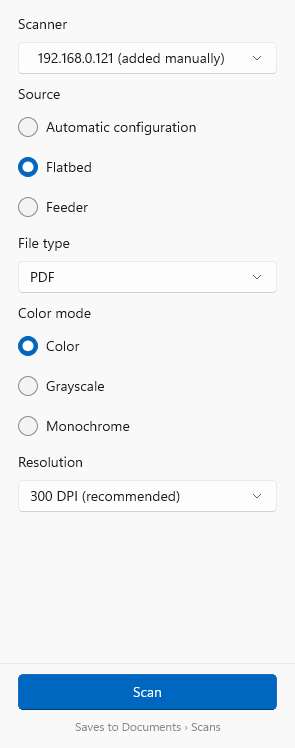
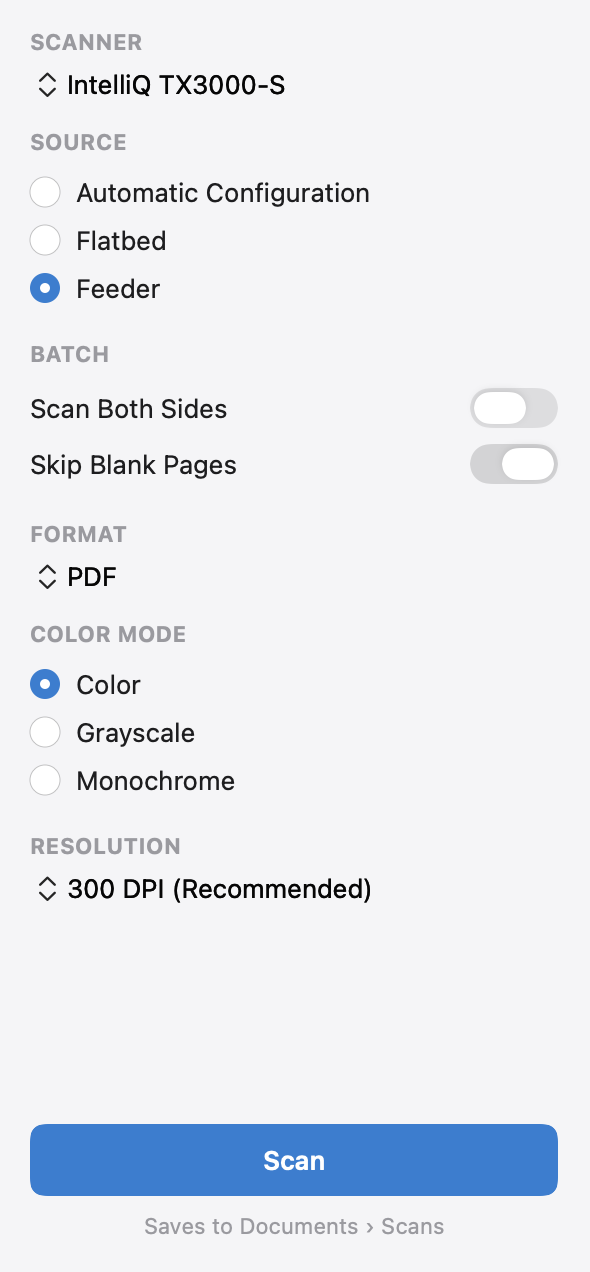
Pick your settings once. After that it’s one click.
Choose the scanner, flatbed or feeder, colour and resolution. Scan & Print remembers them for next time.
USB and network scanners show up on their own. If one doesn’t, add it by IP address or hostname and the app checks the connection before saving it.
Load a stack in the feeder and every page appears as it comes through, with blank pages skipped. Pro scans both sides in one pass.
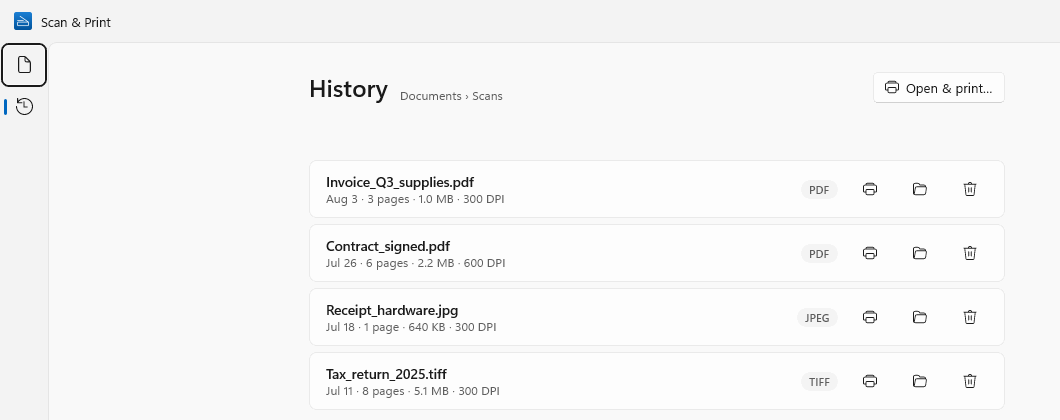
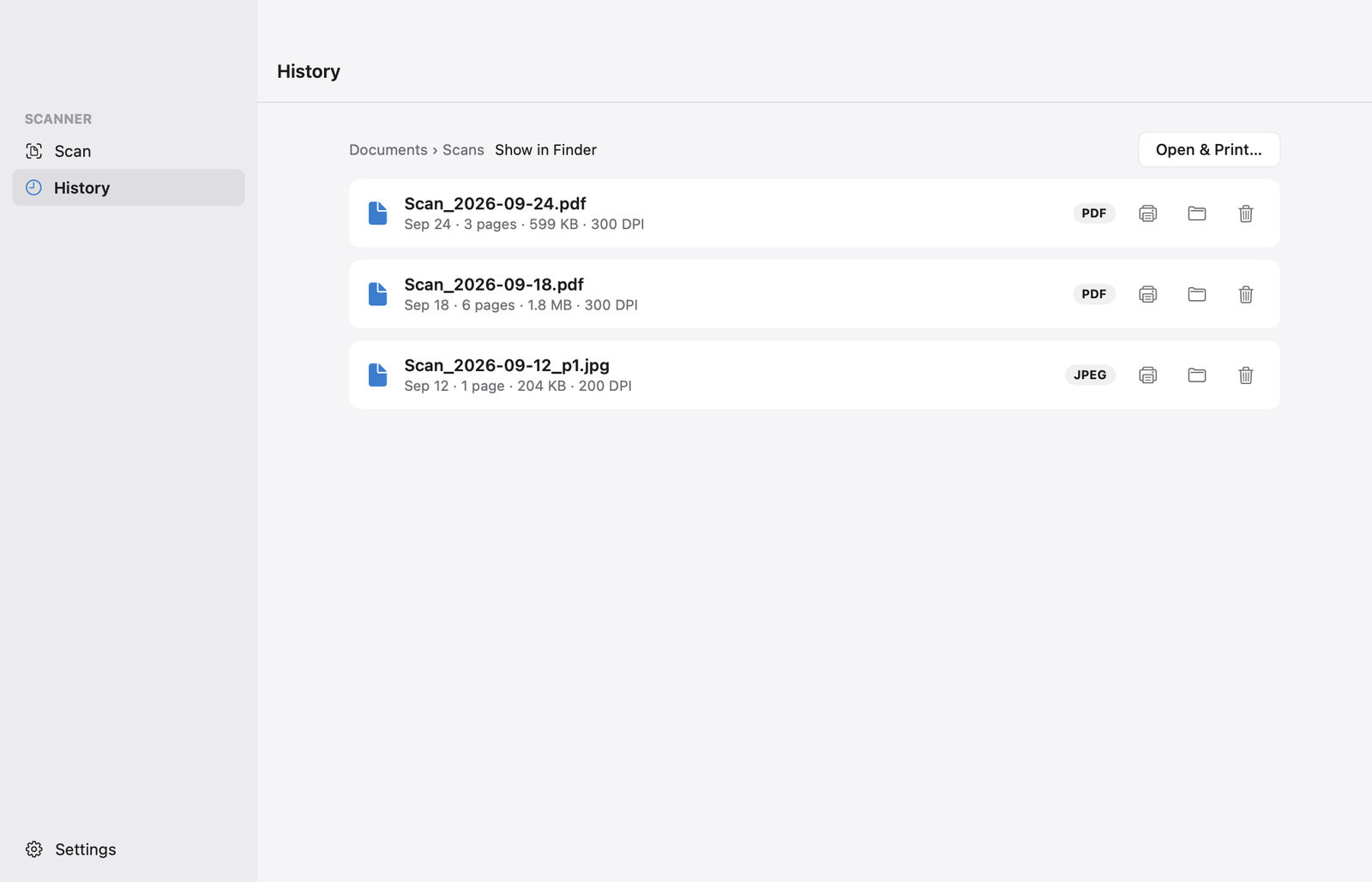
Last month’s invoice is still here.
History lists every scan with its date, page count, size and resolution.
Print a scan again, open its folder, or turn an old JPEG or TIFF scan into a PDF (Pro).
Print a scan again, or show it in Finder. Searchable PDFs are also indexed by Spotlight, so you can find them by a word inside.
What it does
- Scanners
- Any scanner or all-in-one with a WIA driver, over USB or the network. Wi-Fi scanners over eSCL (AirScan), often with no driver at all.
- Any scanner or all-in-one macOS supports, over USB or the network.
- Sources
- Flatbed or document feeder, both sides at once, blank pages skipped.
- Flatbed or document feeder, blank pages skipped. Both sides at once with Pro.
- Resolution
- 150, 200 and 300 DPI. 600 DPI with Pro.
- 150, 200 and 300 DPI. 600 and 1200 DPI with Pro.
- Colour
- Colour, greyscale or black & white.
- Page editing
- Rotate, crop, enhance, reorder, delete, add a page.
- Rotate, crop, delete, add a page. Enhance with Pro.
- File types
- TIFF, JPEG, PNG. PDF and searchable PDF with Pro.
- PDF, JPEG, PNG, TIFF. Searchable PDF with Pro.
- PDF options
- Compression, password protection, PDF/A. All Pro.
- Text recognition
- Tesseract, running on your PC. English, Spanish, French and German included; 100+ more languages to download. Pro.
- Apple’s on-device text recognition, in the languages your macOS supports. Pro.
- Printing
- Through the standard Windows print dialog.
- Through the standard macOS print dialog.
- App languages
- English, German, French, Spanish, Portuguese (Brazil), Chinese (Simplified).
- Privacy
- No account, no ads, no watermark. Scans are never uploaded.
- Requires
- Windows 10 (version 2004) or Windows 11, on Intel, AMD or ARM.
- macOS 14 Sonoma or later, on Apple silicon or Intel.
Free, or Pro
The free version has no time limit. Pro is a yearly plan or a one-time lifetime purchase, bought inside the app and priced in your currency by the Microsoft Store.
The free version has no time limit. Pro is a yearly plan or a one-time lifetime purchase, bought inside the app and priced in your currency by the App Store.
Free
- Every WIA and eSCL (AirScan) scanner
- Save as TIFF, JPEG or PNG
- 150, 200 and 300 DPI
- Rotate, crop, enhance and reorder pages
- Whole feeder batches, and up to 3 pages when adding pages
- Print and scan history
- Every scanner macOS supports
- Save as PDF, JPEG, PNG or TIFF
- 150, 200 and 300 DPI
- Rotate, crop, delete and add pages
- Scans of up to 3 pages
- Print and scan history
Pro
- PDF and multi-page PDF
- Searchable PDF (text recognition)
- 600 DPI
- Any number of pages
- PDF compression, password, PDF/A
- Turn old image scans into PDFs from History
- Searchable PDF (text recognition)
- 600 and 1200 DPI
- Any number of pages
- Both sides in one pass
- Enhance: whiter backgrounds, sharper text
- PDF compression, password, PDF/A
Yearly or lifetime, billed through the Microsoft Store.
Yearly or lifetime, billed through the App Store.
FAQ
Will it work with my scanner?
If Windows can see it, most likely yes. Scan & Print works with any scanner or all-in-one printer that has a WIA driver, and with Wi-Fi scanners that speak eSCL (AirScan). The free version is the quickest way to find out.
If your Mac can see it, most likely yes. Scan & Print works with the scanners and all-in-one printers macOS supports, over USB or the network: the same devices Image Capture lists. The free version is the quickest way to find out.
Why a desktop app instead of a phone scanning app?
A phone app photographs the page, so you get uneven light, shadows and pages that need straightening. A scanner gives you flat, evenly lit pages at a fixed resolution, and a document feeder can do a whole stack in one go. Scan & Print is the desktop side of that: it runs the scanner from your PC and saves straight to your folders.
A phone app photographs the page, so you get uneven light, shadows and pages that need straightening. A scanner gives you flat, evenly lit pages at a fixed resolution, and a document feeder can do a whole stack in one go. Scan & Print is the desktop side of that: it runs the scanner from your Mac and saves straight to your folders.
Do I still need my scanner maker’s software?
Not for everyday document scanning. You can stop switching between HP Scan and Capture, Epson ScanSmart, Canon IJ Scan Utility and Brother iPrint&Scan.
Not for everyday document scanning. You can stop switching between HP Easy Scan, Epson ScanSmart, Canon IJ Scan Utility and Brother iPrint&Scan.
Are my documents uploaded anywhere?
No. Scanning, text recognition and saving all run on your PC. The app only goes online to download an extra text-recognition language when you ask for one.
No. Scanning, text recognition and saving all run on your Mac, using Apple’s on-device text recognition.
Which languages can it read?
English, Spanish, French and German are built in. More than 100 others are a one-click download in Settings.
Every language macOS can recognise on your Mac, with nothing to download. The list depends on your macOS version.
Is there a Mac version?Is there a Windows version?
Yes. Scan & Print is on the Microsoft Store for Windows 10 and 11, and on the Mac App Store for macOS 14 or later.

Scan & Print is made by Wuxxu s.r.o., a small independent software company. It is a real desktop app on each platform, built with WinUI on Windows and SwiftUI on the Mac, not a web page in a wrapper.
Put your scanner to work.
Scan & Print is free on the Microsoft Store for Windows 10 and 11.
Scan & Print is free on the Mac App Store for macOS 14 or later.
Coming soon to the Mac App Store, for macOS 14 or later.