
Scan & Print For Canon scanners
A scanner app for your Canon printer or scanner.
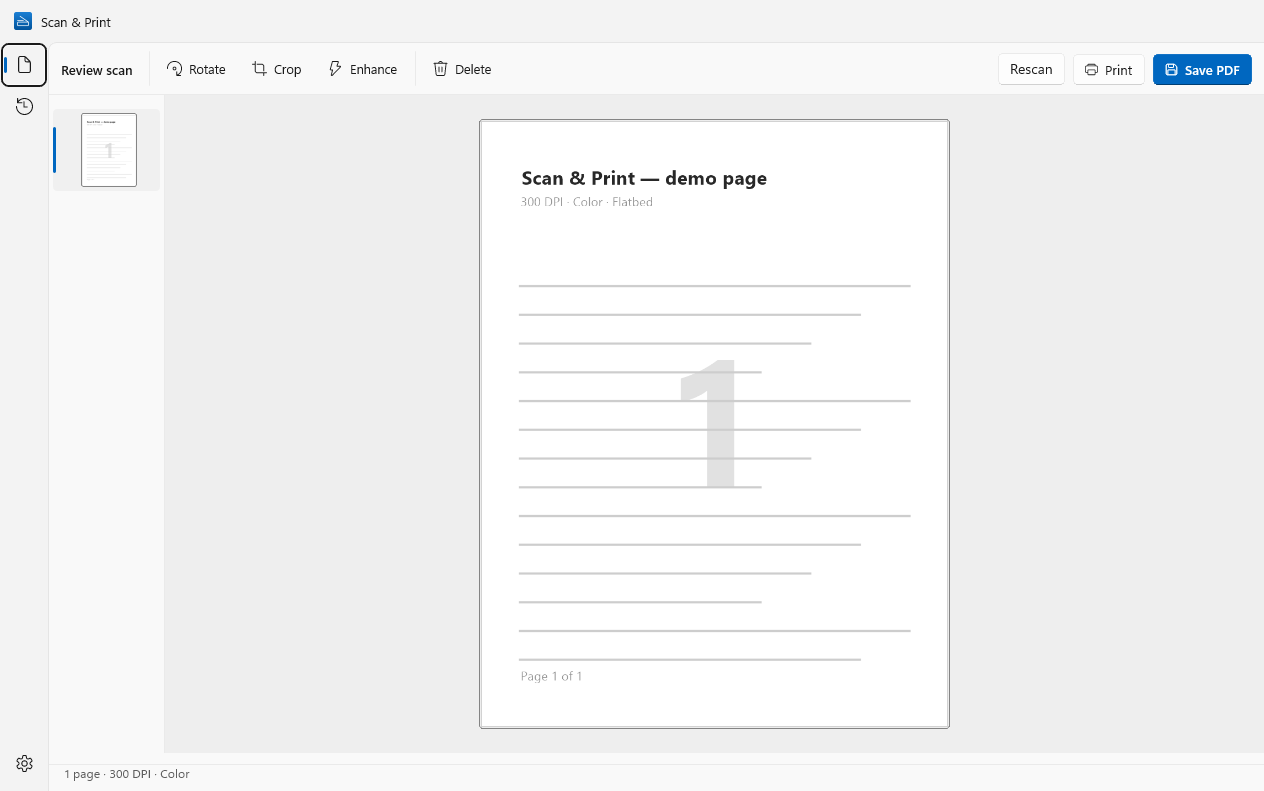
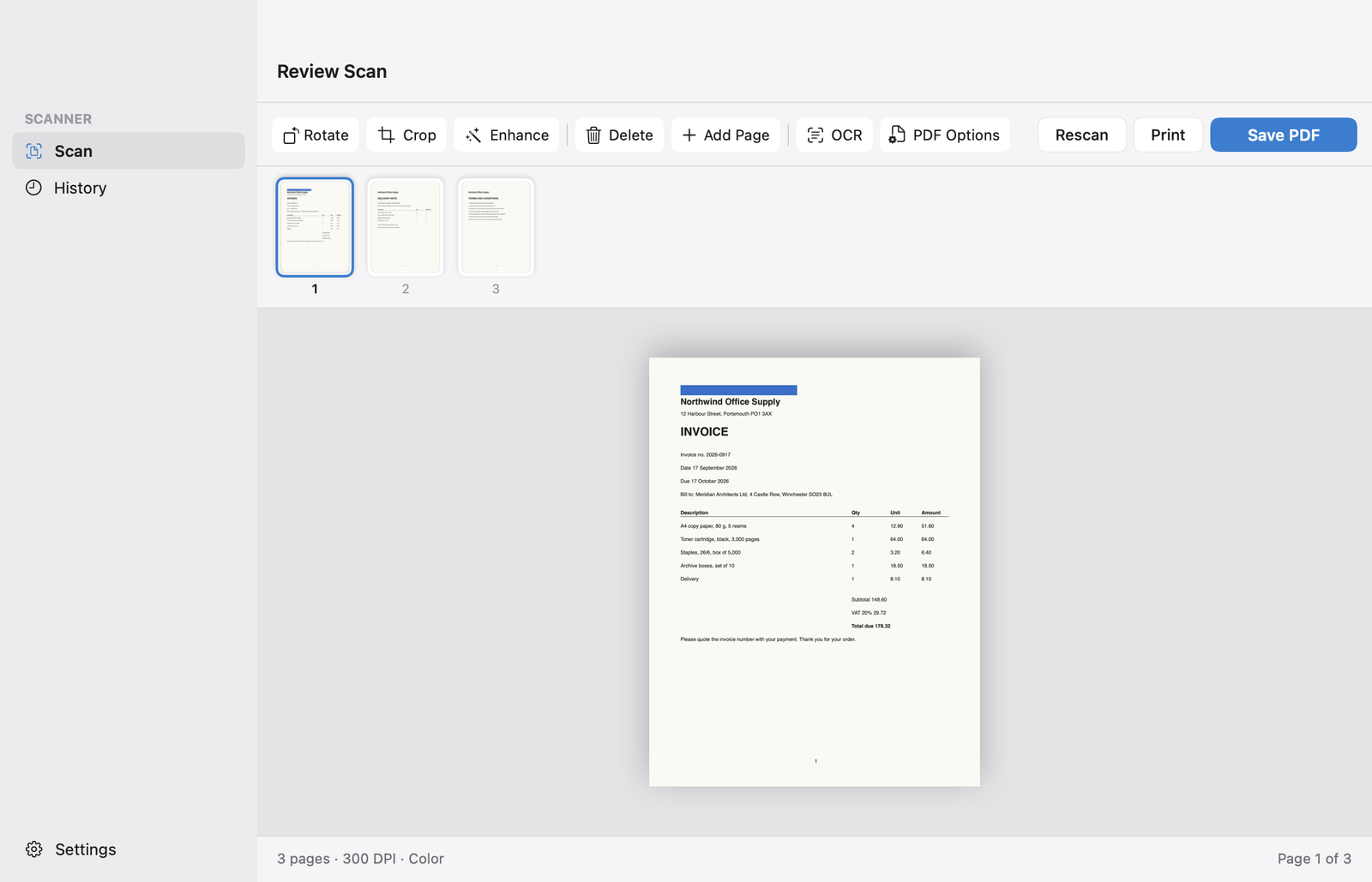
Scan & Print is a desktop scanning app for your PC that works with Canon PIXMA, MegaTank, imageCLASS / i-SENSYS and CanoScan models over USB or Wi-Fi. Fix the pages, then save a PDF, JPEG, PNG or TIFF, or print. No account to sign in to, and nothing leaves your computer.Scan & Print is a desktop scanning app for your Mac that works with Canon PIXMA, MegaTank, imageCLASS / i-SENSYS and CanoScan models over USB or Wi-Fi. Fix the pages, then save a PDF, JPEG, PNG or TIFF, or print. No account to sign in to, and nothing leaves your computer.
Windows 10 and 11macOS 14 Sonoma or later.
Made by Wuxxu s.r.o., not by Canon. Works with Canon scanners through their standard drivers.


Works with popular Canon models
PIXMA
- PIXMA TS3520
- PIXMA TS5320
- PIXMA TS6420a
- PIXMA TR4720
- PIXMA TS9520
PIXMA MegaTank
- PIXMA G3270
- PIXMA G4270
imageCLASS / i-SENSYS
- imageCLASS MF264dw II
- imageCLASS MF455dw
CanoScan
- CanoScan LiDE 300
- CanoScan LiDE 400
…and any other Canon scanner or all-in-one with a WIA driver, or on your network with eSCL (AirScan). Model names differ slightly between regions; the family is what matters.…and any other Canon scanner or all-in-one that macOS supports. Model names differ slightly between regions; the family is what matters.
Set it up in three steps
- Connect the printer or scanner by USB, or to the same Wi-Fi network as your PC.
- If Windows has not set it up by itself, install your model’s driver package from Canon’s support site: MP Drivers for PIXMA, MegaTank and CanoScan, MF Drivers for imageCLASS and i-SENSYS.
- Open Scan & Print and pick the device from the scanner list. Network models that support eSCL (AirScan) usually appear even without a driver.
- Connect the printer or scanner by USB, or to the same Wi-Fi network as your Mac.
- Add it in System Settings › Printers & Scanners. For CanoScan LiDE models, install Canon’s ICA driver for macOS from Canon’s support site first.
- Open Scan & Print and pick the device from the scanner list. If Image Capture can see it, so can Scan & Print.
Scan & Print or IJ Scan Utility?
You don’t have to choose: keep IJ Scan Utility for looking after the printer, and use Scan & Print for scanning.
Use Scan & Print for
- Scanning from your computer to PDF, JPEG, PNG or TIFF
- Fixing pages before you save: rotate, crop, enhance, reorder, add a page
- Searchable PDFs you can find by a word inside (Pro)
- One app for every scanner in the house or office, whatever the brand
- The same app on Windows and Mac
- No account, and scans are never uploaded
- Scanning from your computer to PDF, JPEG, PNG or TIFF
- Fixing pages before you save: rotate, crop, delete, add a page
- Searchable PDFs you can find by a word inside (Pro)
- One app for every scanner in the house or office, whatever the brand
- The same app on Windows and Mac
- No account, and scans are never uploaded
Keep IJ Scan Utility for
- Ink levels and cleaning the print head
- Setting up the printer and connecting it to Wi-Fi
- Printer firmware updates
- Scans started from the buttons on the printer or scanner itself
Canon FAQ
Is Scan & Print made by Canon?
No. Scan & Print is made by Wuxxu s.r.o., an independent software company, and is not affiliated with or endorsed by Canon. It talks to Canon scanners through the same standard drivers any scanning app uses.
Will it work with my Canon model?
If Windows can see your Canon scanner or all-in-one, most likely yes: Scan & Print works with any model that has a WIA driver, and with network models that speak eSCL (AirScan). The free version is the quickest way to find out.
If your Mac can see your Canon scanner or all-in-one, most likely yes: Scan & Print works with any model macOS supports, the same devices Image Capture lists. The free version is the quickest way to find out.
imageCLASS or i-SENSYS: which is mine?
They are the same laser machines sold under different names: imageCLASS in the Americas, i-SENSYS in Europe. Both work the same way with Scan & Print.
Can I start a scan from the buttons on my Canon?
No. Scan & Print starts scans from your computer. Scans started from the machine’s own buttons still go to Canon’s software.
Put your Canon scanner to work.
Scan & Print is free on the Microsoft Store for Windows 10 and 11.
Scan & Print is free on the Mac App Store for macOS 14 or later.
Coming soon to the Mac App Store, for macOS 14 or later.